Type Arabic Online Without Installing Anything
How to write Arabic in your browser using Latin letters or an on-screen keyboard, what you can do with the text afterwards, and where it goes.
If you need to write Arabic on a device that isn’t set up for it — a work laptop, a shared computer, a phone you’d rather not reconfigure — you don’t have to install anything. A browser-based Arabic keyboard runs on the page itself: you type, Arabic appears, and you copy, download, or share the result. This guide covers how that works, what you can do with the text, where it actually goes, and when a system keyboard is still the better tool.
Two ways to write Arabic in a browser
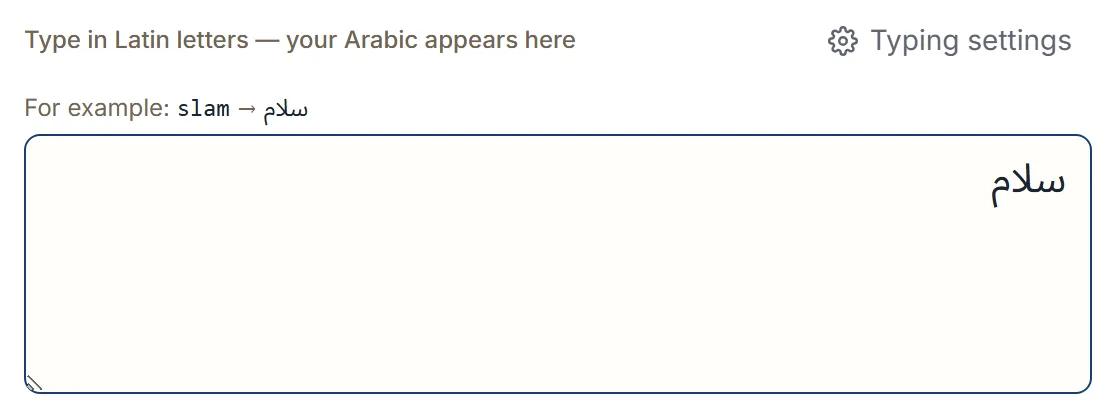
The first is transliteration: you type with the Latin letters already printed on your
keyboard, and each key becomes its Arabic equivalent as you go. Typing slam gives سلام, and
ktab gives كتاب.
Watch the spelling: salam, with the extra a, gives سالام — the la is read together as لا.
To write سلام, type slam.
Arabic is normally written without short vowels, so you type the consonants you would actually
see in the word. mrHba produces مرحبا. The capital in the middle is doing real work: H is ح
while h is ه, so capitalization is how you reach the second letter of a similar-sounding pair.
There are several typing styles, and you pick the one that matches how you already spell Arabic in Latin letters:
| Typing style | What it suits |
|---|---|
| Traditional | The classic layout, with apostrophe combinations such as s' for ش |
| English | English digraphs — shkra produces شكرا |
| French | French spelling habits, such as ch for ش |
| Arabizi | Chat spelling, where digits stand in for letters |
You change it under Typing settings:
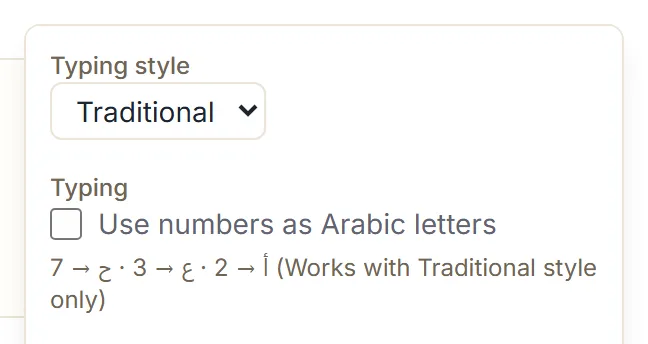
The chat digits are widely understood, and they work in more than one style: 3id mbark
produces عيد مبارك. If a mapping still doesn’t match your habits, you can add your own — tell
the keyboard that typing 7 should write ح, and it will.
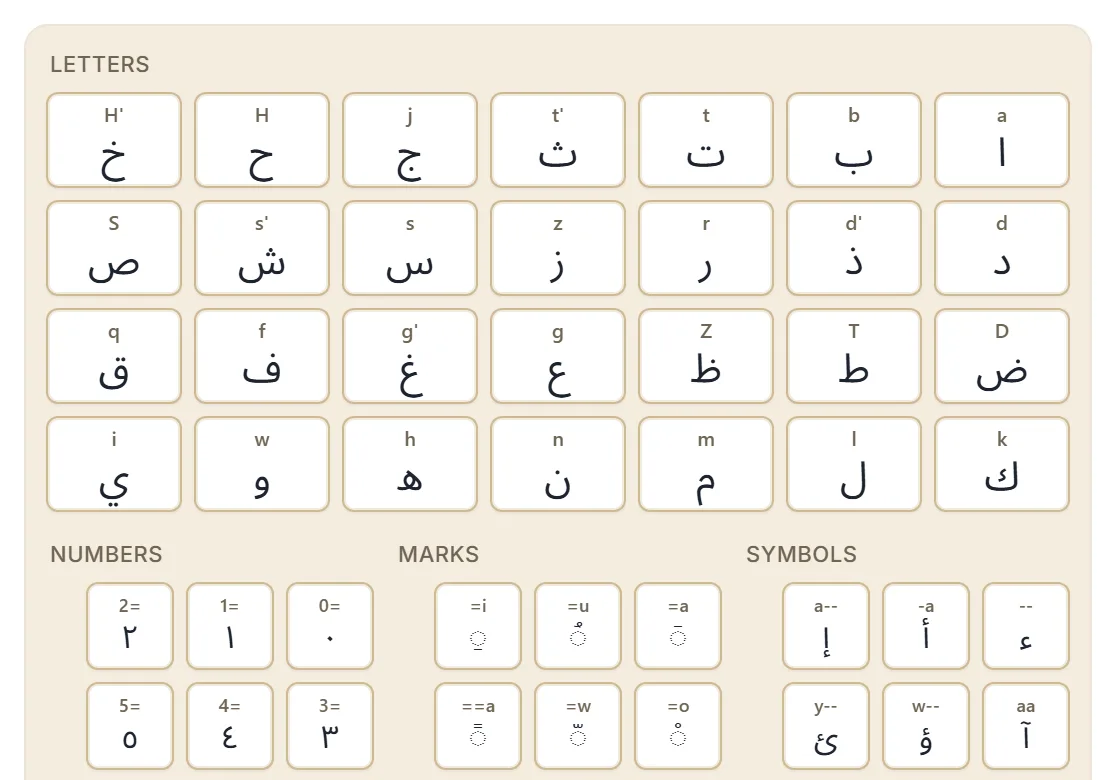
The second way is the on-screen keyboard. It shows the Arabic letters as buttons you tap or click, grouped into letters, marks, numbers, and symbols. It’s the faster route when you need a diacritic or a symbol you don’t know the Latin trigger for, and it’s often more comfortable on a phone. Both methods write into the same box, so you can switch between them mid-sentence, or paste Arabic in from somewhere else and keep editing.
What you can do with the text
Once the text is in the box, the point is to get it somewhere useful:
- Copy it to the clipboard and paste it into any app.
- Share it to a messaging app or by email.
- Search the web with it, using a search engine or reference site you choose.
- Download it as plain text, a Word document, or a PDF.
- Listen to it, on devices that have an Arabic voice installed.
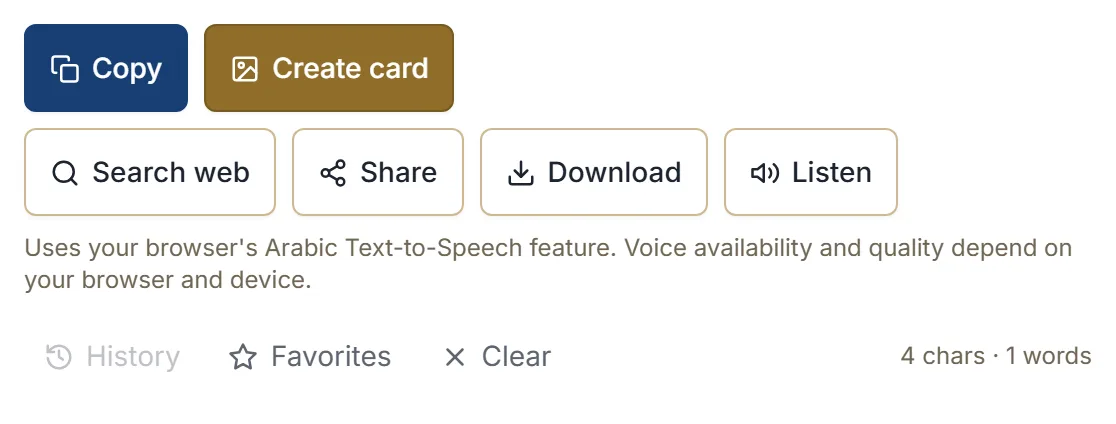
Listen deserves a caveat. It uses the Arabic text-to-speech voice your browser provides, not one we supply, so availability and quality depend on your device — and where no Arabic voice is installed, the button isn’t shown at all. Treat it as a reading aid, not as a pronunciation guarantee.
There is also a phrase library for greetings, duas, and everyday expressions, so you can insert a ready-made phrase and edit it rather than typing it from scratch. Phrases you use often can be saved to favorites.
Where your text goes
This is the part worth being precise about. Your text stays in your browser unless you choose an action such as search, share, copy into another app, or download or export. Those actions are the moment it moves, and they only happen when you trigger them.
A few specifics behind that sentence:
- Files are built on your device. A TXT, DOCX, or PDF is generated in the browser and saved straight to your downloads — it isn’t uploaded anywhere first.
- Search and share hand your text to somewhere you picked — a search engine, a messaging app, an email client. From that point the receiving service’s own rules apply.
- Recent texts are stored only in this browser so you can restore them later. You can turn that off, and you can delete them at any time.
What we won’t claim: this isn’t encryption, and it isn’t a security product. It’s a tool that does its work locally instead of on a server, and that’s a meaningfully different thing.
When a system keyboard is still better
An online keyboard is for composing text and then moving it where it needs to go. If you type Arabic all day, directly into other applications, installing a system Arabic keyboard is the better answer — it works inside every app, without a copy-paste step, and without a browser tab open. It also keeps working when you have no connection.
The browser route earns its place when installing isn’t possible or isn’t worth it: a device that isn’t yours, an occasional message, a card or a document you need once.
Next step
Open the Arabic keyboard and type a few letters to see how the style you picked behaves. If what you’re writing is a greeting or a dua, the common Islamic phrases guide covers what those phrases mean and when they’re used.