Typing Arabic Chat Numbers: 3, 7, and 2 Instead of Letters
Turn on the chat-number setting so 3, 7 and 2 write ع, ح and أ — what changes, which typing styles it applies to, and how to still type real digits.
If you have ever seen 3id mubarak or 7abibi in a message, you already know Arabic chat spelling. Where a letter has no Latin equivalent, people reach for a digit that looks like it: ع becomes 3, ح becomes 7, أ becomes 2.
The keyboard can read that spelling directly, so you can type the way you already text.
Turning it on
Open Typing settings and switch on Use numbers as Arabic letters.
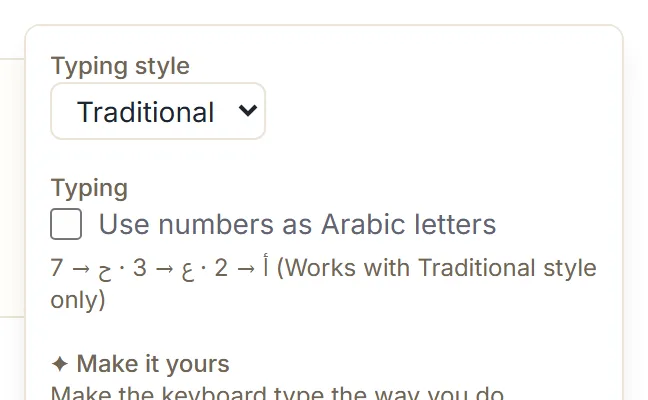
The setting is remembered on that device, so you only do it once per browser.
What changes
Three digits become letters:
| Type | Get |
|---|---|
2 | أ |
3 | ع |
7 | ح |
With it on, 3id mbark gives عيد مبارك, 7bibi gives حبيبي, and 2na gives أنا.
With it off, those same inputs leave the digit where it is: 3id mbark gives 3يد مبارك, and
7bibi gives 7بيبي. That is the quickest way to tell whether the setting is on — if you see a
stray digit sitting inside an Arabic word, it is off.
A longer example, since it is the one people type most: alslam 3lykm gives السلام عليكم with
the setting on, and السلام 3ليكم with it off.
It applies to the Traditional style
The setting sits alongside the Traditional typing style, which is the default, and the interface says so under the switch.
The other styles do not need it:
- English already reads the chat digits.
3id mbarkgives عيد مبارك there with nothing turned on. - Arabizi is built entirely around them, and covers more than three —
5gives خ,9gives ق,6gives ط. It is the right choice if your spelling habit is digits throughout rather than occasionally.
If you find yourself wanting 5 and 9 as well, you are describing Arabizi. The
typing style guide compares them.
You can still type actual numbers
This is the obvious worry, and the answer is that the number triggers keep working.
With the setting on:
| Type | Get |
|---|---|
3 | ع |
3= | ٣ |
3++ | ٣ |
So a bare digit is a letter, and a digit with a trigger is a numeral. Western digits typed as part of a longer number are unaffected in the ordinary case — typing Arabic numbers has the full picture.
The Traditional alternative, if you would rather not switch
Traditional already has letter keys for all three, so you do not have to turn anything on:
| Letter | Chat digit | Traditional key |
|---|---|---|
| ع | 3 | g |
| ح | 7 | H |
| أ | 2 | -a |
gid mbark gives عيد مبارك, exactly as 3id mbark does with the setting on. Which you prefer is
a question of muscle memory rather than correctness.
A note on the spelling itself
Chat spelling is informal. It is completely normal between friends, in group chats, and on social media, and it is widely understood across the Arabic-speaking world.
What it is not is formal writing. The output here is ordinary Arabic either way — the digits are just how you reached the letters, and nothing of the chat spelling remains in the text you produce. But if you are writing something formal, that is a reason to check the Arabic reads well, not a reason to avoid the setting.
Next step
Open the Arabic keyboard, turn the setting on, and type alslam 3lykm. If
you write greetings often, the phrase library has them ready to insert, spelled the
way a native writer would.