Type Arabic-Indic and Western Numbers Online
Type Arabic-Indic numerals with the plus or equals trigger, keep Western digits when you need them, and know which set your reader expects.
Arabic is written with two sets of digits. Western numerals — 1, 2, 3 — are used across much of the Arabic-speaking world, especially in North Africa. Arabic-Indic numerals — ١, ٢, ٣ — are standard in the Gulf, Egypt, and much of the Levant.
The keyboard writes both. Which one you get is decided by what you type, not by a setting.
Western digits need nothing
Type a number normally and it stays as it is. 2026 gives 2026.
This is the default because it is what most people want most of the time, and because a phone number or a price that quietly changed script would be a problem rather than a feature.
Arabic-Indic digits use a trigger
Add ++ or = immediately after each digit:
| Type | Get |
|---|---|
1++ | ١ |
1= | ١ |
1++2++3++ | ١٢٣ |
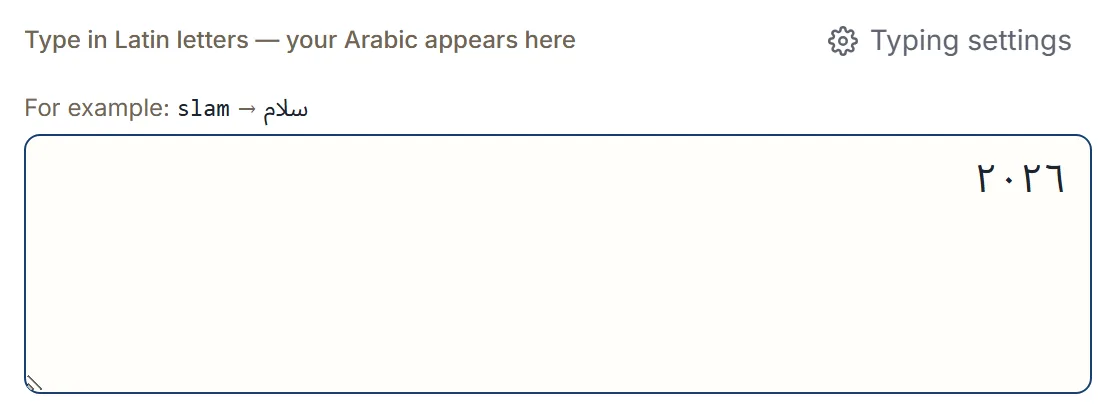
2++0++2++6++ | ٢٠٢٦ |
2=0=2=6= | ٢٠٢٦ |
Both triggers do the same thing, so use whichever is less awkward for your hands. The trigger goes after every digit, not once at the end — each digit is converted on its own.
That is more typing than it might be, and it is a deliberate trade: it means no ordinary number can turn into Arabic-Indic by accident.
Mixing them with words
The triggers work anywhere in a line, so a number inside a sentence behaves the same way.
Typing sgr 5++0++ gives سعر ٥٠.
Nothing stops you mixing the two sets in one document if that is genuinely what you need — an address in Western digits alongside a date in Arabic-Indic, for instance.
Tapping them instead
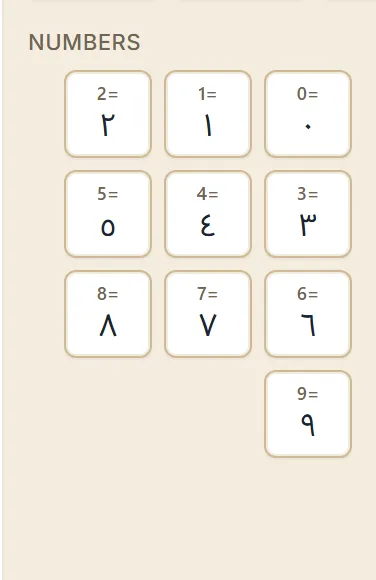
The on-screen keyboard has a Numbers group with ٠ to ٩ as keys. Tapping inserts the Arabic-Indic digit directly, with no trigger involved, which is usually faster if you are entering a long run of them.
If you use the chat-number setting
There is a separate feature where 3, 7 and 2 write Arabic letters — ع, ح and أ — because
that is how they are used in chat spelling. If you have that turned on, a bare digit becomes a
letter.
The number triggers still work regardless. With that setting on, 3 gives ع but 3= still gives
٣, so you keep access to both. Arabic chat numbers
explains the setting in full.
Which set should you use?
Match your reader, not your preference.
- Writing to a specific person or region — use what they use. Gulf and Egyptian readers generally expect ١٢٣; Moroccan, Algerian and Tunisian readers generally expect 123.
- A phone number, a reference code, or anything to be copied into a form — Western digits are safer, because they survive being pasted into systems that may not handle the other set.
- A greeting card, a poster, or formal Arabic text — Arabic-Indic usually looks more at home.
If you genuinely do not know, Western digits are the lower-risk choice: every Arabic reader can read them.
Next step
Open the Arabic keyboard and type 1++2++3++ to see the trigger work, then
type 123 next to it to compare. Both are ordinary text in the same box, so you can copy, export,
or share either one.