Make Jumu'ah Reminder Cards
Send a Friday greeting as a card — the three phrases commonly used, the designs that suit them, and how to make one you can reuse each week.
Friday greetings are the most repeated message many people send — every week, to the same family group and the same friends. Making one card you are happy with means the weekly message takes a tap rather than a rewrite.
Make one
- Open the Arabic keyboard and expand Insert Greetings & Phrases.
- Search for Friday or jumua and insert the greeting.
- Click Create card.
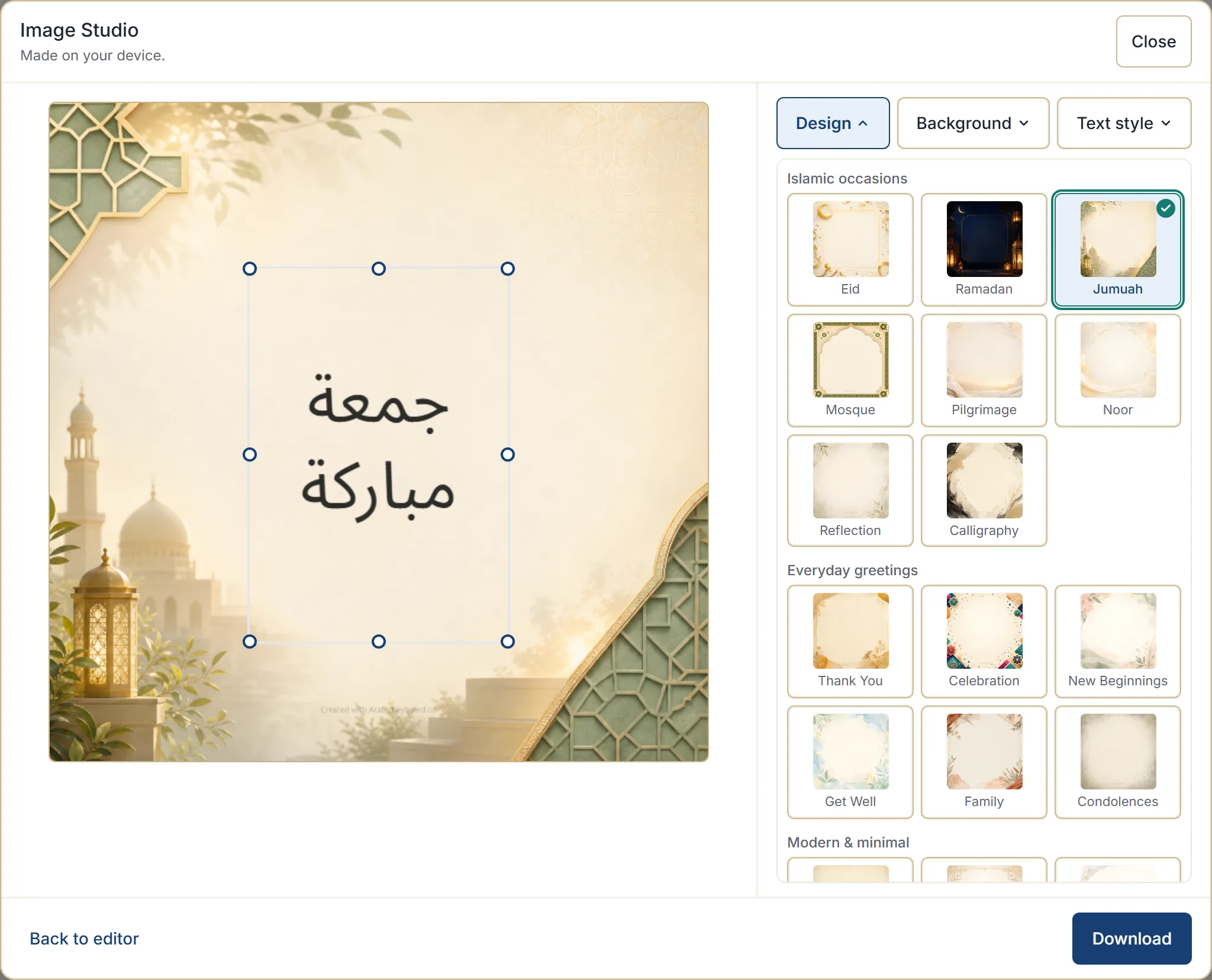
- Open Design and choose Jumuah from the Islamic occasions group.
- Cycle the Background until one suits.
- Download.
The phrases
Three are in common use, all in the phrase library:
| Arabic | Say it as | Sense |
|---|---|---|
| جمعة مباركة | jumu’ah mubarakah | A blessed Friday |
| جمعة طيبة | jumua tayyiba | A good Friday |
| طابت جمعتكم | tabat jumuatukum | May your Friday be good — addressed to a group |
جمعة مباركة is the most widely used and works for anyone. طابت جمعتكم addresses a group, which makes it a natural fit for a family chat or a message to colleagues.
Phrases and customs vary by region and community, so choose wording that feels right for your context.
Typing them instead
In the default Traditional typing style:
| Type | Get |
|---|---|
jmgh' mbarkh' | جمعة مباركة |
jmgh' Tibh' | جمعة طيبة |
Note the h' on the ends — that is the ta marbuta, and it is what makes مباركة rather than مبارك.
Tricky Arabic letters covers it.
Adding a salam
A Friday card often opens with a greeting before the Friday wish. Use + Message, stack السلام عليكم and جمعة مباركة, and insert the finished line — see building a message from ready phrases.
Two short phrases is about right for a card. Three starts to crowd it.
Which design
Jumuah is built for this and is the obvious choice. Two alternatives:
- Mosque, when you want something a little more formal.
- Noor or Calligraphy, when you want something quiet that does not announce the occasion visually.
Each has several backgrounds, and cycling them is usually enough to find a card you would send weekly. Choosing a card design covers the groups.
Reusing it every week
The card is an ordinary image file, so the simplest approach is to make one you like and keep it — send the same file each Friday.
If you would rather make a fresh one, your design, background and text colour are remembered on that device, so a repeat card is a matter of inserting the phrase and downloading again.
Nothing here schedules or sends anything for you. The card maker does not know what day it is, does not pick an occasion, and does not classify or endorse what you write — you choose the phrase and you choose when to send it.
Sending it
Download saves the image as a PNG, ready to attach to a message or post to a group. Where your browser can share files directly, a Share button appears alongside it.
The filename carries the site name and the date only, never your message or the occasion.
Next step
Open the phrase library and read the page for جمعة مباركة — it covers when it is used and what people reply. Then make the card once and reuse it.