Export Arabic Text to TXT, DOCX, or PDF
Download your Arabic as a plain text file, an editable Word document, or a printable PDF — what each format keeps, and which one to pick.
Copying works until the Arabic has to survive the journey. Paste into an app without a proper Arabic font and the letters stop joining; paste into a form with a length limit and it gets cut. For anything that needs to arrive intact, download a file instead.
There are three formats, and they are genuinely different tools.
How to export
- Type or paste your Arabic into the Arabic keyboard.
- Click Download.
- Choose Plain text (.txt), Word document (.docx), or Printable document (PDF).
The file is built in your browser and saved straight to your downloads. It is not uploaded first, and the panel says so where you choose.
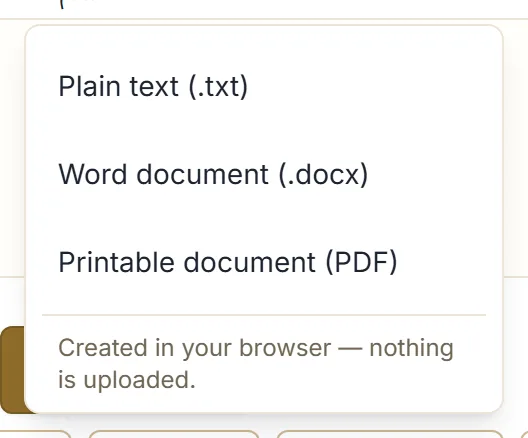
Choosing the format
| Editable afterwards | Holds its formatting | Best for | |
|---|---|---|---|
| TXT | Yes, anywhere | Nothing to hold | Moving raw text between tools |
| DOCX | Yes, in Word or similar | Direction and page setup — the look still varies by word processor | Documents someone will edit |
| No | The finished page, most reliably | Printing, or sending a finished page |
Plain text (.txt)
The characters and nothing else — no fonts, no margins, no layout. Opens in any editor on any system, and it is the format least likely to go wrong.
Use it when the text is going into another program that will do its own formatting, or when you just want a copy you can rely on opening in ten years.
Word document (.docx)
An editable transcription of what is in the box: your text, with the line breaks and paragraphs you typed, laid out right-to-left and right-aligned on A4 pages with ordinary margins. No colours, no styling — a clean document, set up correctly for Arabic, ready for you to build on.
That last part is the real value. Setting a Word document up for Arabic by hand means changing direction and alignment before you type a word, and it is easy to end up with a file that looks right until someone opens it elsewhere. This starts from the correct settings.
What a DOCX cannot promise is that it looks identical everywhere. It carries the document’s direction, alignment and page setup, but the final appearance still depends on the word processor opening it and the Arabic fonts installed there. When the page has to look exactly as you saw it, that is what the PDF is for.
Printable document (PDF)
A page-formatted A4 document that flows across as many pages as your text needs, at a comfortable reading size with room above the lines for stacked diacritics. It looks the same everywhere and prints as it appears.
One honest caveat: the text in the PDF is not selectable or searchable. Each page is drawn as an image. That is a deliberate trade — it guarantees the Arabic letters join and the diacritics sit correctly on every device and printer, rather than depending on the reader’s font support.
If you need selectable text, export DOCX. If you need the page to look exactly right, export PDF. Making a readable Arabic PDF goes into that format properly.
What the files are called
Downloads are named after the site with the date, so a folder of them sorts and reads sensibly. The name never contains your text.
Both the Word document and the PDF carry a small footer crediting where they were made.
Everything happens on your device
Worth repeating, because file export is where people reasonably assume a server is involved: it is not. The document is assembled in the browser and handed to your downloads folder.
Your text stays in your browser unless you choose an action such as search, share, copy into another app, or download or export. Downloading is one of those actions, and it moves the text to your own disk — not to us.
If the file will not open properly
- The .txt shows separated letters. Your text editor has no Arabic font, or is not set to UTF-8. Try a different editor.
- The .docx opens left-aligned. Almost always a viewer that ignores document direction. Open it in Word or a full word processor rather than a quick preview.
- The PDF text will not select. Expected — the pages are images, as above.
Next step
Type a short paragraph into the Arabic keyboard and export the same text twice, as DOCX and as PDF. Opening both side by side makes the difference obvious in a way no description does.