Make Arabic Cards for Weddings, New Babies, and Family
Congratulation cards for the occasions that come up most — weddings, births, graduations, and everyday family messages — with the phrases for each.
Weddings, new babies, exam results, a new job — the occasions that fill a family chat. Arabic has a specific congratulation for most of them, which is handy: you rarely have to compose anything, you just have to pick the right one.
Make one
- Open the Arabic keyboard and expand Insert Greetings & Phrases.
- Search for the occasion — wedding, baby, congratulations — and insert the phrase.
- Add the person’s name after it if you like.
- Click Create card, choose a design, and Download.
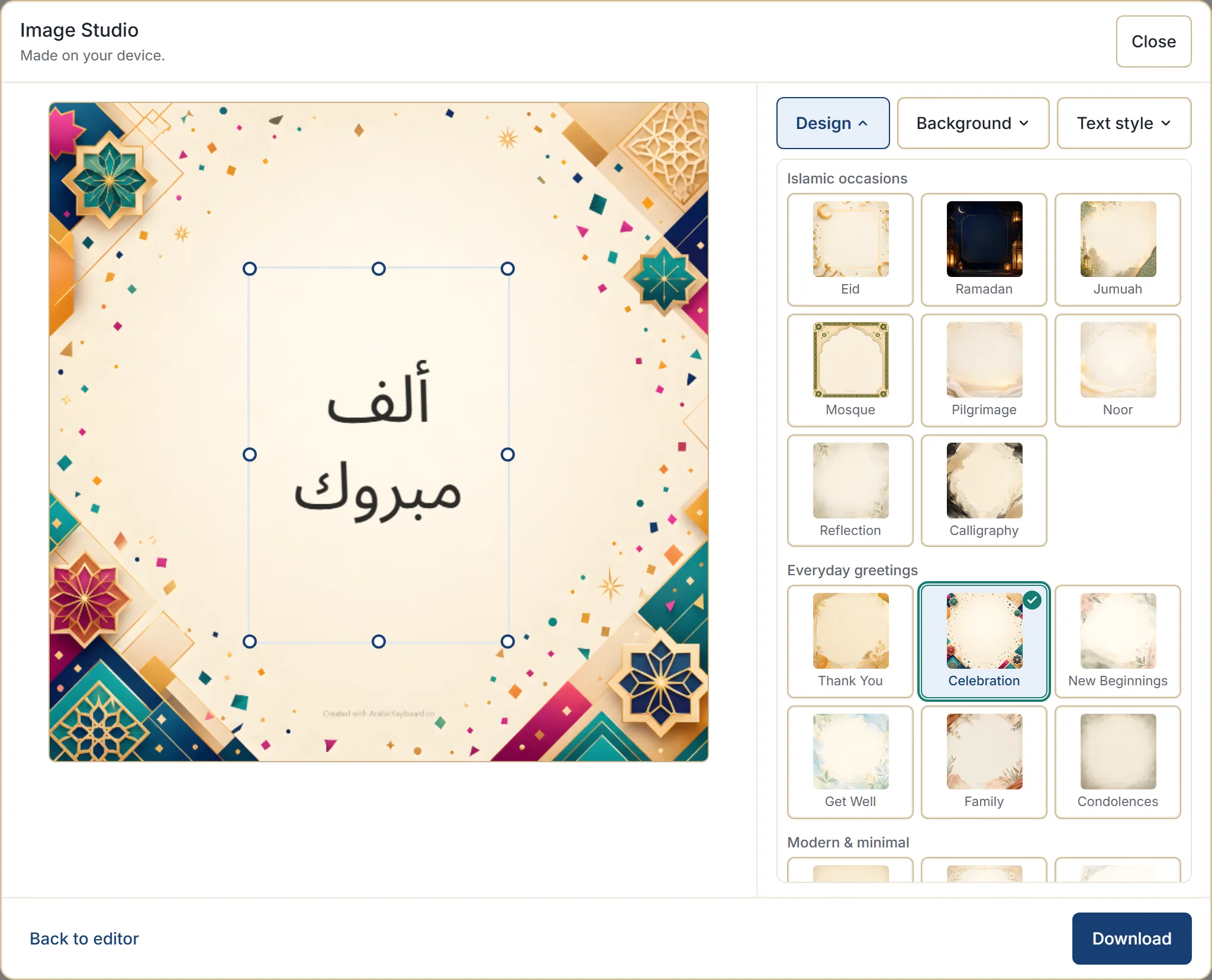
The phrase for each occasion
All of these are in the phrase library, so insert rather than retype — the library spelling is the reviewed one.
| Occasion | Arabic | Say it as |
|---|---|---|
| Congratulations, generally | مبروك | mabrouk |
| Warmer congratulations | ألف مبروك | alf mabrouk |
| A wedding | مبروك الزواج | mabrouk az-zawaj |
| A new baby | مبروك المولود | mabrouk al-mawlud |
| Passing an exam, a success | مبروك النجاح | mabrouk an-najah |
| Wishing someone luck | بالتوفيق | bi-t-tawfiq |
| Blessing someone | بارك الله فيك | barak Allah fik |
ألف مبروك — literally “a thousand congratulations” — is the warm general-purpose choice, and the one to use if you are not sure which specific phrase fits.
بالتوفيق is a wish rather than a congratulation: for the exam ahead, the new job starting, the move being made. It is the one to send before rather than after.
A common reply to being congratulated is بارك الله فيك, which is why that phrase also works as a card in its own right.
Typing them instead
In the default Traditional typing style:
| Type | Get |
|---|---|
mbrwk | مبروك |
-alf mbrwk | ألف مبروك |
mbrwk alzwaj | مبروك الزواج |
mbrwk almwlwd | مبروك المولود |
bark allh fik | بارك الله فيك |
Note -alf rather than alf — the -a gives the alif with hamza in ألف.
Adding a name
This is what turns a generic card into one for a person, and it is the single most worthwhile thing to do here.
Insert the phrase, then type the name after it in the editor before opening the studio. Arabic
names can be typed the same way as any other word — mHmd and faTmh' for instance — or pasted in
if you have the spelling from elsewhere.
Keep the whole thing short. A phrase and a name is the right amount for a card.
Choosing a design
| Occasion | Try |
|---|---|
| A wedding | Celebration, or Floral |
| A new baby | New Beginnings, or Celebration |
| Exam results, a graduation | Celebration |
| A new job or a move | New Beginnings |
| A general family message | Family |
| A thank you | Thank You |
| Get well wishes | Get Well |
If none of them feels right, the modern and minimal designs — Classic, Elegant, Minimal — carry any message without claiming an occasion. Choosing a card design has the full mapping, and each design has several backgrounds worth cycling before you switch design.
Two phrases on one card
A greeting followed by the congratulation reads well: السلام عليكم then ألف مبروك. Use + Message, stack them, and insert the finished line — see building a message from ready phrases.
For a wedding you might use ألف مبروك with بارك الله فيكما. Two phrases and a name is about the limit before a card starts to look crowded.
Sending it
Download saves the image as a PNG, ready for a message, a group chat, or a print. Where your browser can share files, a Share button appears alongside.
The card is made in your browser, and the filename carries only the site name and the date — never the name you wrote or the occasion.
Phrases and customs vary by region and community, so choose wording that feels right for your context.
Next step
Open the phrase library and look at the Congratulations & Life Events category — it covers more occasions than the ones above. Insert one, add a name, and make the card.