Type Arabic If You Do Not Have an Arabic Keyboard
Three situations where no Arabic input is available — a Latin-only keyboard, a locked-down computer, a borrowed device — and what to do in each.
“I do not have an Arabic keyboard” usually means one of three quite different things, and the best answer depends on which one you are facing. This page takes them in turn.
In all three cases the route is the same tool — a keyboard that runs in the browser tab — but what you use it for changes.
If your keyboard has only Latin letters printed on it
This is the most common case, and the least of a problem. The letters printed on the keys have nothing to do with what the computer types; they are paint.
You have two ways in:
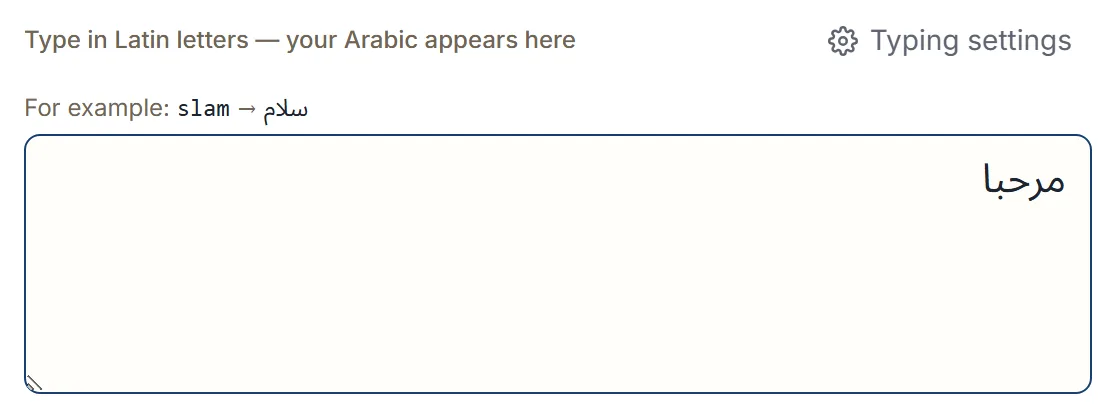
Type with the Latin keys you have. Each key becomes its Arabic equivalent as you type: slam
gives سلام, ktab gives كتاب, mrHba gives مرحبا. Arabic is written without its short vowels, so
you type the consonants — that is the one habit to pick up, and
writing Arabic with Latin letters covers it in a few
minutes.
Tap the letters instead. The on-screen keyboard shows the Arabic letters, numbers, marks and symbols as buttons — all visible at once, with no tabs to switch between. Nothing to learn: you find the letter and click it.
Most people end up mixing the two: type the words, tap the occasional letter you cannot place. Both write into the same box.
If the computer is locked down
Work laptops, library and university machines, and internet cafés often will not let you add a keyboard layout — that is an administrator setting, and you may not have the rights.
Nothing here needs those rights. The keyboard is a web page: open it, type, and take the text with you. There is nothing to install, no account to create, and no setting on the machine to change.
Once you have your text you can copy it to the clipboard, share it, search with it, or download it as a text file, a Word document, or a PDF — all of which happen on the device rather than on a server.
If the device is not yours
A friend’s phone, a shared family tablet, a colleague’s desk. Here the reason to avoid installing an Arabic keyboard is courtesy rather than permission: adding a language changes the keyboard switcher, the autocorrect, and sometimes the dictionary for whoever uses the device next.
A browser tab leaves all of that alone. When you are finished, close the tab.
Two things worth knowing if the device is not yours:
- Your typing style is remembered in that browser. It is a small preference stored on the device, not an account setting, but it does persist. If you would rather leave nothing behind, use a private window.
- Recent texts can be saved so you can restore them. That is optional, you can switch it off, and you can delete them at any time.
Getting the Arabic where it needs to go
Writing it is only half the job. From the editor you can:
- Copy it and paste into any app — a message, an email, a document.
- Share it to a messaging app or by email.
- Download it as plain text, a Word document, or a PDF.
- Search the web with it, using a destination you pick.
Files are built in the browser and saved to your downloads; they are not uploaded first. Your text stays in your browser unless you choose an action such as search, share, copy into another app, or download or export — those actions are the moment it moves, and they only happen when you trigger them.
When you should install one after all
If you write Arabic every day, directly into other applications, a system Arabic keyboard is the better tool. It works inside every app without a copy-paste step, and it works with no connection.
The browser route is for composing text and moving it somewhere — the occasional message, a card, a document you need once, or a machine you do not control. Online keyboard or your device’s weighs that choice properly.
Next step
Open the Arabic keyboard and type mrHba. If you would rather tap than
type, the virtual keyboard tutorial shows what
each panel holds.